
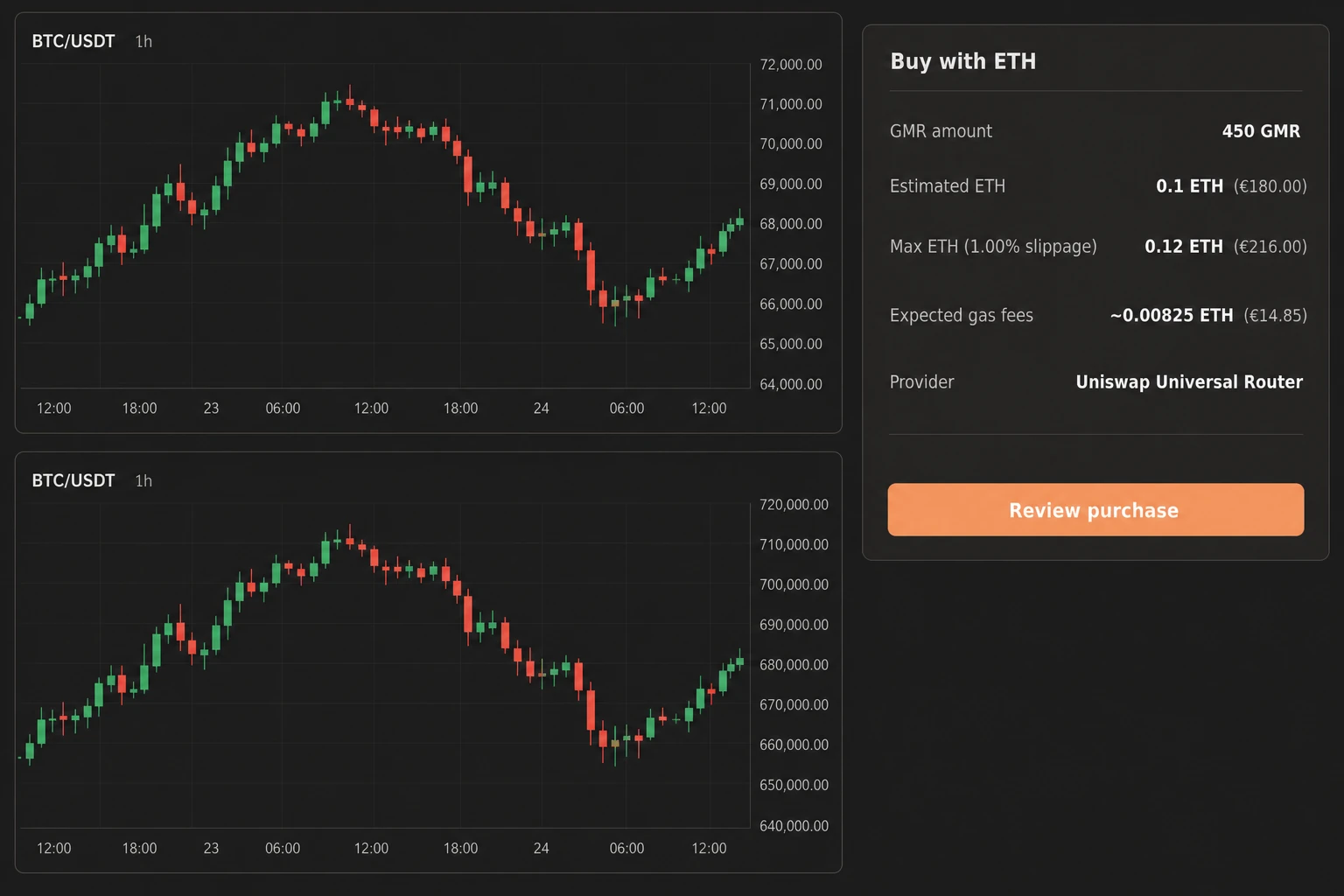
Changing Gimmer’s Reference FIAT setting changes how selected ETH estimates are displayed during token checkout. It does not turn the underlying cryptocurrency workflow into a fiat trade, replace the ETH amount, or change the crypto market itself.
That boundary matters because the same screen can contain several kinds of numbers: a GMR token amount, an estimated ETH amount, a maximum ETH amount, an Ethereum gas estimate, and a familiar fiat equivalent. They help with different decisions. The crypto amounts describe the checkout workflow; the reference currency adds comparison context.
What “Reference FIAT” Means in Gimmer
A reference fiat currency is a display preference. In the current Gimmer workflow, it is used to show selected ETH estimates in a familiar government-issued currency such as US dollars, euros, British pounds, Brazilian reais, or Japanese yen.
The word reference is important. The displayed fiat figure helps you interpret an ETH amount. It is not a new asset in your wallet, a cryptocurrency trading pair, or an instruction to convert funds.
For example, token checkout can continue to show an amount in ETH while placing a selected fiat equivalent beside it. The ETH amount remains visible because it is the operational crypto value. The fiat figure is secondary context based on a sampled ETH-to-fiat rate.
Where to Choose the Setting
Open Settings and find Reference FIAT. The current choices are:
- US Dollar (USD)
- Euro (EUR)
- British Pound (GBP)
- Brazilian Real (BRL)
- Japanese Yen (JPY)
Choose the currency you normally use for comparison. The purpose is clarity, not optimization: selecting one currency over another does not create a better cryptocurrency price or improve a trading outcome.
The current preference is retained in the local browser or app environment. Treat it as a local display choice rather than an account-wide instruction that is guaranteed to follow you to every browser, device, or runtime.
What Changes in Token Checkout
When a GMR token checkout quote is available, the selected reference currency can appear beside three ETH-denominated estimates:
- Estimated ETH: the current ETH estimate for the selected GMR amount, with a fiat equivalent beside it when the rate is available.
- Maximum ETH: the maximum ETH amount shown for the checkout’s stated slippage setting, again with an optional fiat equivalent.
- Expected gas fees: the estimated Ethereum network fee in ETH, with an optional fiat equivalent for comparison.
If you change the Reference FIAT setting while a quote is present, Gimmer requests a fresh ETH-to-fiat rate for the newly selected currency and refreshes the comparison figures when a valid rate is returned. The GMR amount and ETH quote remain the operational checkout values.
The fiat figure may not always be available. The market-data request can fail or return no valid rate, and an already displayed sample can age while the checkout remains open. If the fiat figure is unavailable, continue reading the explicit ETH amount and do not invent a conversion. Request a new checkout quote only when the checkout offers that action; a missing fiat equivalent is missing context, not a changed blockchain transaction.
What Does Not Change
The Reference FIAT setting should not be read as a market or execution control. In the current workflow described here, changing it does not mean that Gimmer has changed:
- the GMR amount you selected;
- the ETH amount returned by the checkout quote;
- the checkout’s slippage setting;
- the Ethereum network gas requirement;
- your wallet’s assets or balances;
- a strategy’s base asset, quote asset, or trading pair;
- an exchange account, order rule, or crypto bot configuration; or
- the market price available for real execution.
This is the central distinction: a display conversion can change while the underlying ETH value remains the same. The selected fiat label tells you how to read an estimate; it does not tell a cryptocurrency market how to trade.
Reference Currency Is Not the Same as a Quote Asset
Crypto trading vocabulary can make this confusing. In a market such as BTC/USDT, the quote asset is part of the market definition. It determines how the base asset’s market price is expressed for that pair. A Reference FIAT choice in Settings is different: it provides comparison context in a specific Gimmer checkout surface.
Choosing EUR as Reference FIAT does not turn a BTC/USDT market into BTC/EUR. Choosing BRL does not convert a stablecoin balance into Brazilian reais. Choosing USD does not instruct an exchange to settle a transaction in dollars.
When you need to understand a crypto trading pair, read the pair itself and the exchange or strategy configuration. When you need to understand a token-checkout estimate, read the ETH amount first and use the fiat equivalent as supporting context.
Reference Currency Is Not a Wallet Conversion
A wallet balance answers a custody question: which assets are present, and in what amounts? A reference currency answers a display question: which familiar unit should accompany selected ETH estimates?
The two should not be merged. A fiat equivalent does not prove that fiat funds exist in the wallet, that a conversion has happened, or that the displayed amount can be withdrawn or settled at that exact value.
The same caution applies to Ethereum gas. A fiat equivalent can help you understand the scale of an estimated gas fee, but the blockchain transaction still uses its network-denominated values. Gas conditions can change, so an estimate is context—not a guarantee of the final cost.
Why the Fiat Figure Can Change
An ETH-to-fiat estimate depends on a sampled market rate. If ETH moves against the selected currency, the displayed fiat equivalent can change even when the ETH amount has not. A later sample can also differ from an earlier one.
That does not necessarily mean the GMR amount, wallet state, or crypto trading logic changed. It may only mean that the comparison rate was refreshed. Treat the displayed fiat amount as comparison context, not as a guaranteed or executable price.
This distinction is useful across cryptocurrency and blockchain products: valuation context helps humans compare amounts, while execution state tells the system what actually happened.
A Practical Reading Order
Use the following sequence when reviewing token checkout:
- Confirm the GMR amount you intend to review.
- Read the Estimated ETH and Maximum ETH values.
- Check the stated slippage setting.
- Read the expected Ethereum gas fee in ETH.
- Use the selected fiat equivalents as comparison context.
- If the fiat figure is unavailable, continue with the explicit ETH values and do not substitute your own unsupported conversion.
- Before submitting, use the explicit review and confirmation step; after submission, rely on the submitted, pending, confirmed, or failed transaction state—not on the reference-currency display.
This reading order keeps the primary crypto values and transaction state ahead of the convenience conversion.
Common Misreadings to Avoid
- “I selected USD, so the checkout now uses dollars.” The setting adds a dollar equivalent beside supported ETH estimates; it does not replace ETH as the displayed crypto amount.
- “The fiat number is the final amount I will pay.” It is a sampled estimate, not a guaranteed settlement value.
- “Changing Reference FIAT changes my bot’s market.” Read the strategy and trading-pair configuration for that information.
- “The displayed value means my wallet holds that fiat currency.” A reference display is not evidence of a wallet asset or balance.
- “A lower number in another currency means the crypto is cheaper.” Different currency units cannot be compared by their raw numbers alone.
What This Setting Does Not Promise
- It does not lock an ETH-to-fiat exchange rate.
- It does not predict cryptocurrency prices or future returns.
- It does not guarantee a gas fee, checkout total, or blockchain confirmation time.
- It does not change exchange support, wallet custody, or crypto bot execution.
- It does not convert a reference figure into fiat money you can withdraw.
Final Thoughts
Reference FIAT is most useful when it stays in its lane. It translates selected ETH estimates into a familiar comparison unit while leaving the underlying cryptocurrency values visible. Read it as context, not as a trade, conversion, market change, or outcome promise.
Open Settings, choose the reference currency you use for comparison, then open Buy GMR and read the fiat figure beside the ETH amount, not in place of it.
– The Gimmer Team