
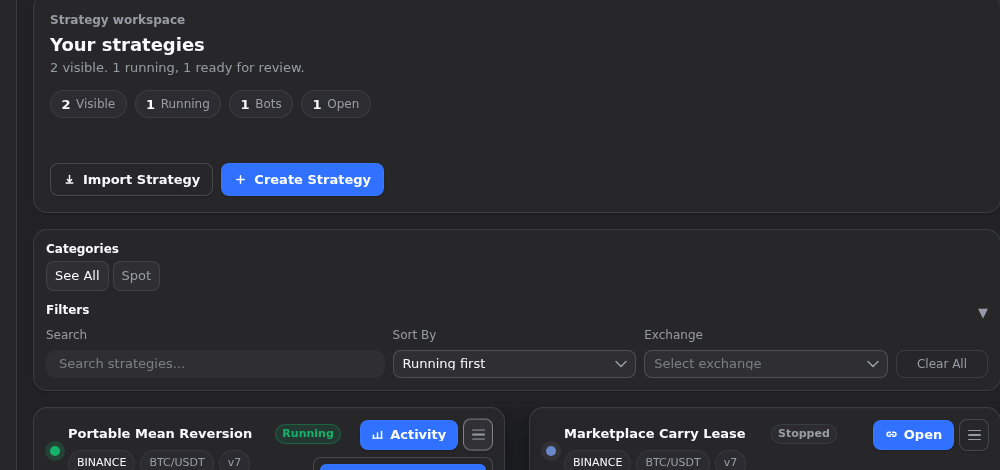
It is easy to hear “export” and assume a file should carry everything needed to recreate the exact same result somewhere else. Gimmer’s current strategy portability path is narrower than that, and that is a good thing. The export is meant to carry the strategy definition you mean to move: the configuration, settings, mappings, and structure you want to review or reuse. It is not meant to become a secret-transfer channel, a rented-marketplace escape hatch, or a silent handoff of live runtime state. If you keep that boundary clear, the workflow becomes much easier to trust.
What A Strategy Export Is Actually For
The safest way to read the current workflow is simple: export the part of the strategy that should be portable, and leave the rest behind on purpose.
That means the file is useful when you want to move a strategy definition between accounts, environments, or workflow surfaces for review and reuse. It does not mean the file should recreate every condition around the original strategy automatically.
That distinction matters because portability becomes misleading as soon as people start treating one JSON file like a full environment handoff. A strategy definition is one thing. Secrets, runtime state, ownership rules, and live readiness are separate things.
What The Export Carries Today
In the current implementation, the export payload is built from the strategy definition itself: strategy metadata, settings, portfolio structure, indicator maps, safety maps, and strategy option data.
That is the useful core of the file. It gives the receiving side the strategy shape it needs for inspection and reuse without turning the export into a bag of unrelated sensitive material.
The public docs describe the same boundary directly. The current versioned route GET /api/v1/strategies/{id}/export is documented as an export of strategy configuration without secrets. That is the right way to read the workflow: portable configuration first, not universal payload capture.
What Stays Out Of The File
This is the trust boundary that makes the article worth publishing at all.
The exported file is not the place for exchange keys, wallet keys, or raw passphrases. It is also not the place to smuggle in the confidence that the original environment is still present on the other side. A portability file should help you carry structure. It should not quietly become a secret-transfer channel.
That is why the next step after import still matters. If the target account or environment needs credentials, reconnect them through their dedicated setup flows after import instead of expecting them to arrive inside the strategy file.
Why Rented Strategies Stop At The Boundary
The current product line is explicit here. Rented strategies cannot be exported.
That is not a minor UI preference. It is part of the ownership boundary. The signed-in strategy card disables export for rented content, and the export handlers refuse rented strategies instead of creating a portable file anyway.
For readers, the practical lesson is clear: portability starts with a strategy you control in the signed-in workspace. Marketplace or rented access is a different relationship, and the export path is not there to dissolve that line.
What Import Does On The Receiving Side
The import side is just as important as the export side. The current route family includes POST /api/v1/strategies/import, and the signed-in strategy surface also exposes a file-based import flow for current users.
What matters is how the imported result is created. The importer does not overwrite the original strategy in place. It creates a fresh caller-owned strategy record with new identifiers. If the receiving account already has a strategy with the same name, the importer resolves that collision by renaming the copy instead of pretending the duplicate name is harmless.
This is another trust-friendly detail. The import is not a silent runtime continuation. It is a new strategy record that you should review in the target context before you treat it like a ready replacement for the original.
Keep The Signed-In UI And The Public API In Their Lanes
One useful thing about the current product is that the portability idea appears in more than one surface. The signed-in strategy cards expose Export strategy as JSON, and the public docs expose the versioned import/export routes plus their scopes.
That does not mean every surface is telling the same transport or ownership story. The public docs describe a scoped X-Api-Key route family. The signed-in strategy workspace is a product UI surface with its own session-backed workflow. Both are useful proof for the article, but they should stay descriptive instead of being flattened into a claim that every export/import step is enforced identically everywhere.
The safer public reading is that Gimmer keeps the portability boundary visible across surfaces: move the strategy definition, keep secrets out, and review the imported copy before you assume more than that.
A Safe Portability Routine
A conservative operator routine looks like this:
- Start with the strategy you intend to move and confirm it is actually exportable.
- Export the strategy definition as the current JSON payload, not as a full environment snapshot.
- Move the file only into a target account or environment you control, or one whose owner explicitly asked you to import it.
- Import the file as a fresh strategy record and review the resulting copy.
- Reconnect any exchange or wallet secrets through their dedicated setup flows instead of expecting them to arrive in the file.
- Recheck the target environment before you assume the imported copy is ready for live work.
Final Thoughts
The value of a strategy export is not that it carries everything. The value is that it carries the part that should be portable while leaving the rest outside the file on purpose.
That is the more trustworthy workflow. Move the definition you intend to move. Keep secrets and ownership boundaries intact. Treat the imported result as a fresh strategy record to review, not as proof that the original runtime context has magically moved with it.
Export only the strategy definition you intend to move, import it into a target account or environment you control, and reconnect exchange or wallet secrets through their dedicated setup flows instead of expecting them to travel with the file.
– The Gimmer Team